Chrome (Android)
Tap the lock icon next to the address bar. Tap Permissions → Notifications . Adjust your preference.
Chrome (Desktop)
Click the padlock icon in the address bar. Select Site settings . Find Notifications and adjust your preference.
Safari (iOS 16.4+)
Ensure the site is installed via Add to Home Screen . Open Settings App → Notifications . Find your app name and adjust your preference.
Safari (macOS)
Go to Safari → Preferences . Click the Websites tab. Select Notifications in the sidebar. Find this website and adjust your preference.
Edge (Android)
Tap the lock icon next to the address bar. Tap Permissions .
Find Notifications and adjust your preference.
Edge (Desktop)
Click the padlock icon in the address bar. Click Permissions for this site . Find Notifications and adjust your preference.
Firefox (Android)
Go to Settings → Site permissions . Tap Notifications . Find this site in the list and adjust your preference.
Firefox (Desktop)
Open Firefox Settings. Search for Notifications . Find this site in the list and adjust your preference.

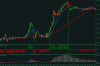
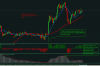
O strategie elaborata de mine , pe care am numit'o C15. Are si ceva " chestii " din strategia LP50.
Pe un TF de 15 minute .O recomand pe Gbp/Usd .
Sa vedem despre ce este vorba :
Indicatori sunt :
MA 10 cea albastra
MA 46 cea rosie
HistStepMAStoch . La setari sa fie : " NumberOfBarsToCalculate:500"
Macd 9;46;9
Templateul : c15.rar
c15.rar