Chrome (Android)
Tap the lock icon next to the address bar. Tap Permissions → Notifications . Adjust your preference.
Chrome (Desktop)
Click the padlock icon in the address bar. Select Site settings . Find Notifications and adjust your preference.
Safari (iOS 16.4+)
Ensure the site is installed via Add to Home Screen . Open Settings App → Notifications . Find your app name and adjust your preference.
Safari (macOS)
Go to Safari → Preferences . Click the Websites tab. Select Notifications in the sidebar. Find this website and adjust your preference.
Edge (Android)
Tap the lock icon next to the address bar. Tap Permissions .
Find Notifications and adjust your preference.
Edge (Desktop)
Click the padlock icon in the address bar. Click Permissions for this site . Find Notifications and adjust your preference.
Firefox (Android)
Go to Settings → Site permissions . Tap Notifications . Find this site in the list and adjust your preference.
Firefox (Desktop)
Open Firefox Settings. Search for Notifications . Find this site in the list and adjust your preference.





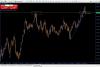
Apolo cred cred ma ajuta si aici...
Veau sa scriu cite ceva si despre NZD/USD deja cine are acces o sa puna la topicul potrivit.
Deci, NZD/USD pe Monthly a facut un hamer frumusel, dar pe Dayli avem o figura unde dupa parerea mea este, Head and Sholders ( nu sampon).. .
.
Asteptam pina care sub SMA200 si mergem in jos pina la fibo 74.6% din Monthly.
Deci azi 3 analize pe Dayli:
EUR/USD - jos;
USD/JPY - sus;
NZD/USD - jos;
Pare ca Dolarul sa fie aici vinovat, deci vreo stire buna din SUA.