Chrome (Android)
Tap the lock icon next to the address bar. Tap Permissions → Notifications . Adjust your preference.
Chrome (Desktop)
Click the padlock icon in the address bar. Select Site settings . Find Notifications and adjust your preference.
Safari (iOS 16.4+)
Ensure the site is installed via Add to Home Screen . Open Settings App → Notifications . Find your app name and adjust your preference.
Safari (macOS)
Go to Safari → Preferences . Click the Websites tab. Select Notifications in the sidebar. Find this website and adjust your preference.
Edge (Android)
Tap the lock icon next to the address bar. Tap Permissions .
Find Notifications and adjust your preference.
Edge (Desktop)
Click the padlock icon in the address bar. Click Permissions for this site . Find Notifications and adjust your preference.
Firefox (Android)
Go to Settings → Site permissions . Tap Notifications . Find this site in the list and adjust your preference.
Firefox (Desktop)
Open Firefox Settings. Search for Notifications . Find this site in the list and adjust your preference.


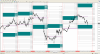
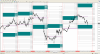
Percentage Indicator 1
In numeroase situatii am vrut sa stiu cu cat crescut/scazut cursul pe un instrument fata de open-ul zilei sau intre anumite nivele.
Nu am gasit nici un indicator de acest fel pt. platforma MT4 sau pe alta platforma.
La Saxobank exista un instrument denumit "Measure" care poate masura cresterea sau scaderea intre doua puncte alese de pe chart.
Informatia pe care o ofera: punct de inceput, final, numarul de bare intre cele doua puncte, diferenta ca procent si diferenta in pips.
Ar fi util daca cineva poate programa pt. MT4 un instrument similar cu aceste caracteristici.
Editat de tavi_star