Chrome (Android)
Tap the lock icon next to the address bar. Tap Permissions → Notifications . Adjust your preference.
Chrome (Desktop)
Click the padlock icon in the address bar. Select Site settings . Find Notifications and adjust your preference.
Safari (iOS 16.4+)
Ensure the site is installed via Add to Home Screen . Open Settings App → Notifications . Find your app name and adjust your preference.
Safari (macOS)
Go to Safari → Preferences . Click the Websites tab. Select Notifications in the sidebar. Find this website and adjust your preference.
Edge (Android)
Tap the lock icon next to the address bar. Tap Permissions .
Find Notifications and adjust your preference.
Edge (Desktop)
Click the padlock icon in the address bar. Click Permissions for this site . Find Notifications and adjust your preference.
Firefox (Android)
Go to Settings → Site permissions . Tap Notifications . Find this site in the list and adjust your preference.
Firefox (Desktop)
Open Firefox Settings. Search for Notifications . Find this site in the list and adjust your preference.

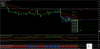
Atasez un screen, precum si indicatorii folositi. Tranzactionez pe H1. Template-ul il voi trimite pe email cui doreste.
BBands_Stop Histo_v3.0 600+.ex4
BBands_Stop Histo_v3.0 600+.mq4
ARROW_FR.ex4
ARROW_FR.mq4
PivotsD_v5 (Black).ex4
EMA.ex4
CandleTime THV.ex4
MTF_MA~.ex4
MTF_MA~.mq4
MM Short_LINES v2.1.ex4
MM Short_LINES v2.1.mq4
ZMFX_all_pivot_levels_v2.ex4
ZMFX_all_pivot_levels_v2.mq4
HRSI.ex4
DMI_HP.ex4
DMI_HP.mq4
IchimokuSystem_v1.2 600+.ex4
IchimokuSystem_v1.2 600+.mq4