Chrome (Android)
Tap the lock icon next to the address bar. Tap Permissions → Notifications . Adjust your preference.
Chrome (Desktop)
Click the padlock icon in the address bar. Select Site settings . Find Notifications and adjust your preference.
Safari (iOS 16.4+)
Ensure the site is installed via Add to Home Screen . Open Settings App → Notifications . Find your app name and adjust your preference.
Safari (macOS)
Go to Safari → Preferences . Click the Websites tab. Select Notifications in the sidebar. Find this website and adjust your preference.
Edge (Android)
Tap the lock icon next to the address bar. Tap Permissions .
Find Notifications and adjust your preference.
Edge (Desktop)
Click the padlock icon in the address bar. Click Permissions for this site . Find Notifications and adjust your preference.
Firefox (Android)
Go to Settings → Site permissions . Tap Notifications . Find this site in the list and adjust your preference.
Firefox (Desktop)
Open Firefox Settings. Search for Notifications . Find this site in the list and adjust your preference.

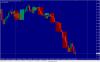
Indicatorul "LargeTimeFrame" are 4 variabile sau campuri:
Timeframe
CountBars
Bear
Bull
In Imaginile urmatoare am setat
Timeframe = MN ( corespunzator pentru Monthly Timeframe)
CountBars = 10 (corespunzator pentru numarul de "candele" care sa fie afisate din trecut)
Bear = Maroon ( culoarea candelelor care indica scaderea pietei pe yimeframe-ul respectiv)
Bull = Teal ( pentru candelele care urca - indica o crestere a pietei)
Imaginea 1 arata cum se vad "candelele" de pe Monthly pe Timeframe-ul Weekly
http://i61.tinypic.com/157jjiq.jpg
Editat de Stefan
reparare imagine