Chrome (Android)
Tap the lock icon next to the address bar. Tap Permissions → Notifications . Adjust your preference.
Chrome (Desktop)
Click the padlock icon in the address bar. Select Site settings . Find Notifications and adjust your preference.
Safari (iOS 16.4+)
Ensure the site is installed via Add to Home Screen . Open Settings App → Notifications . Find your app name and adjust your preference.
Safari (macOS)
Go to Safari → Preferences . Click the Websites tab. Select Notifications in the sidebar. Find this website and adjust your preference.
Edge (Android)
Tap the lock icon next to the address bar. Tap Permissions .
Find Notifications and adjust your preference.
Edge (Desktop)
Click the padlock icon in the address bar. Click Permissions for this site . Find Notifications and adjust your preference.
Firefox (Android)
Go to Settings → Site permissions . Tap Notifications . Find this site in the list and adjust your preference.
Firefox (Desktop)
Open Firefox Settings. Search for Notifications . Find this site in the list and adjust your preference.


Salutari stimati colegi traderi,
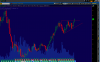
in urma research-ului plasat ieri am trazactionat ativul financiar $AOL, explicatiile sunt in imagine.
http://g.iceimg.com/uwJ1ua07/2014-11-12-12-04-04-thumb.jpg
http://g.iceimg.com/Ya6WRSpb/cdk-thumb.jpg
Pe azi, INTRADAY:
long list: $AOL; $ALB; $SCX; $LEN;
short list: $ACM; $BWA; $DO; $EVHC; $LLL;
Vreau sa fac o remarca, stilul folosit de mine in tranzactinare - pozitional.
Imi permite sa tranzactionez cu STOP LOSS mic de pina la 7c si cu volume mari.
Succese la trade !!!