Chrome (Android)
Tap the lock icon next to the address bar. Tap Permissions → Notifications . Adjust your preference.
Chrome (Desktop)
Click the padlock icon in the address bar. Select Site settings . Find Notifications and adjust your preference.
Safari (iOS 16.4+)
Ensure the site is installed via Add to Home Screen . Open Settings App → Notifications . Find your app name and adjust your preference.
Safari (macOS)
Go to Safari → Preferences . Click the Websites tab. Select Notifications in the sidebar. Find this website and adjust your preference.
Edge (Android)
Tap the lock icon next to the address bar. Tap Permissions .
Find Notifications and adjust your preference.
Edge (Desktop)
Click the padlock icon in the address bar. Click Permissions for this site . Find Notifications and adjust your preference.
Firefox (Android)
Go to Settings → Site permissions . Tap Notifications . Find this site in the list and adjust your preference.
Firefox (Desktop)
Open Firefox Settings. Search for Notifications . Find this site in the list and adjust your preference.





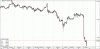


this is the hourly distribution this week compared with last
http://online.wsj.com/mdc/public/page/markets_calendar.html?mod=mdc_h_econhl
http://www.whispernumber.com/01_23_06_pr.jsp
http://www.decisionpoint.com/TAC/SWENLIN.html
si o delectare dupa o zi stresanta http://www.youtube.com/watch?v=e6QLsZI18LE&feature=related
Editat de nirolf69